
Print and export your cards
Download a print-and-play PDF, card images, or a MakePlayingCards order pack.
Print at home
In the editor, open Share → Export cards. The PDF lays your cards out on sheets with crop marks, fronts and backs lined up.
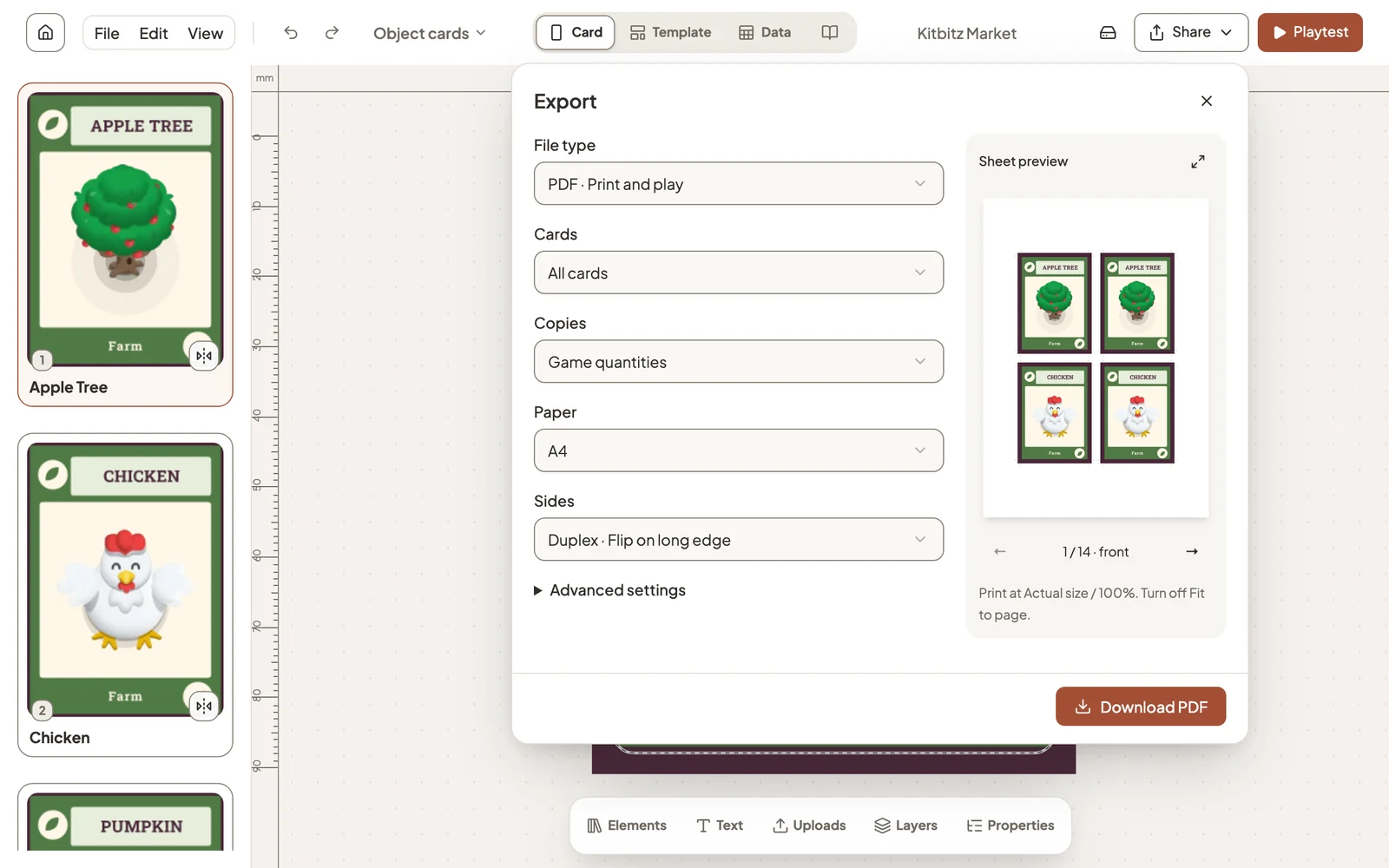
- Cards: every card, or only the ones that changed since your last PDF.
- Copies: Game quantities prints as many of each card as the game needs.
- Paper and Sides: match your printer. Choose Fronts only if it can’t print both sides.
Print at Actual size / 100% and turn off Fit to page, or the cards come out the wrong size.
Print checks
Studio checks every card before you download. A warning usually means something important sits too close to the cut line, or a background stops short of the edge.
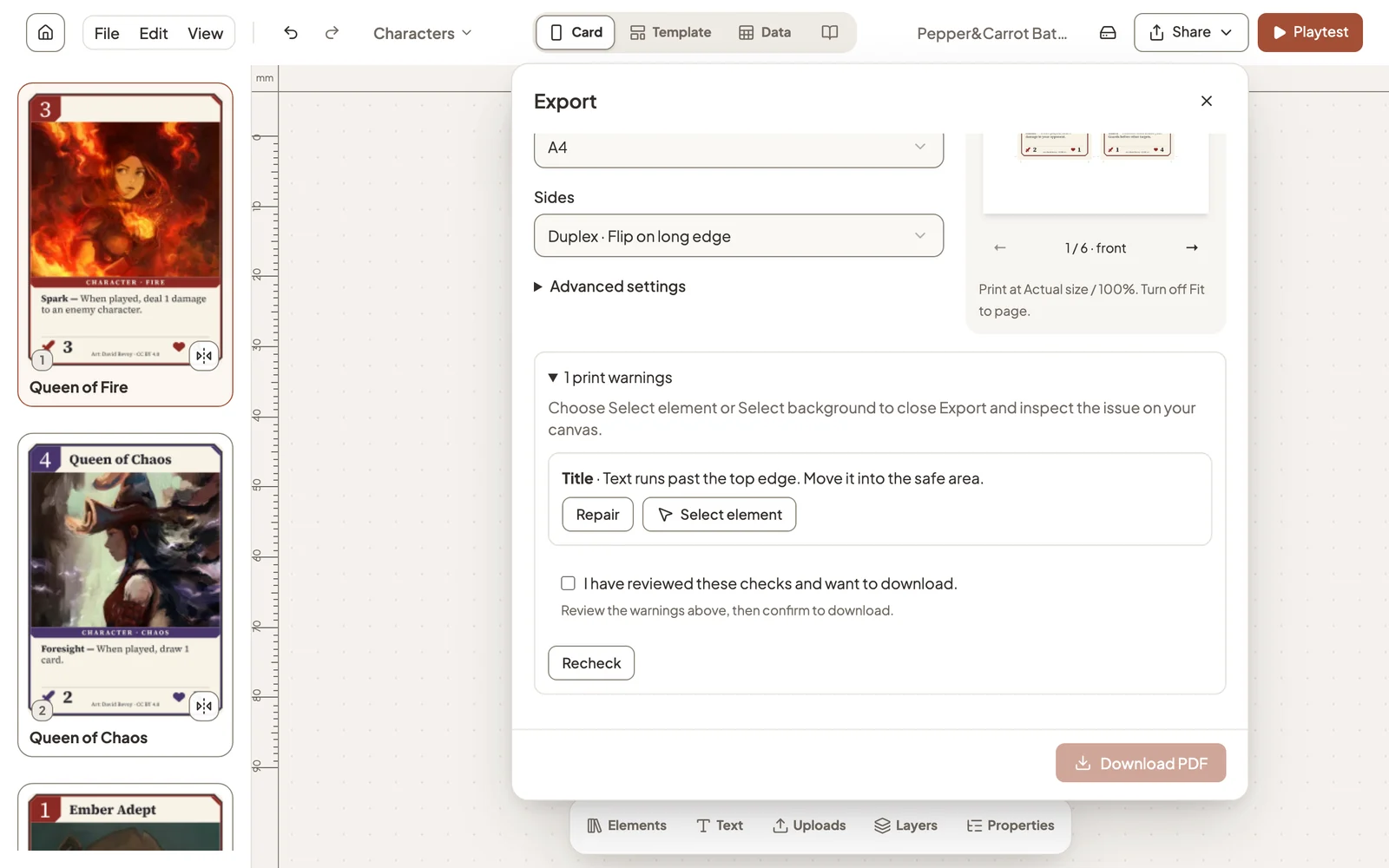
Select element closes the dialog and shows you the problem on the card. If the result is what you intended, confirm that you have reviewed the checks and download anyway.
Card images
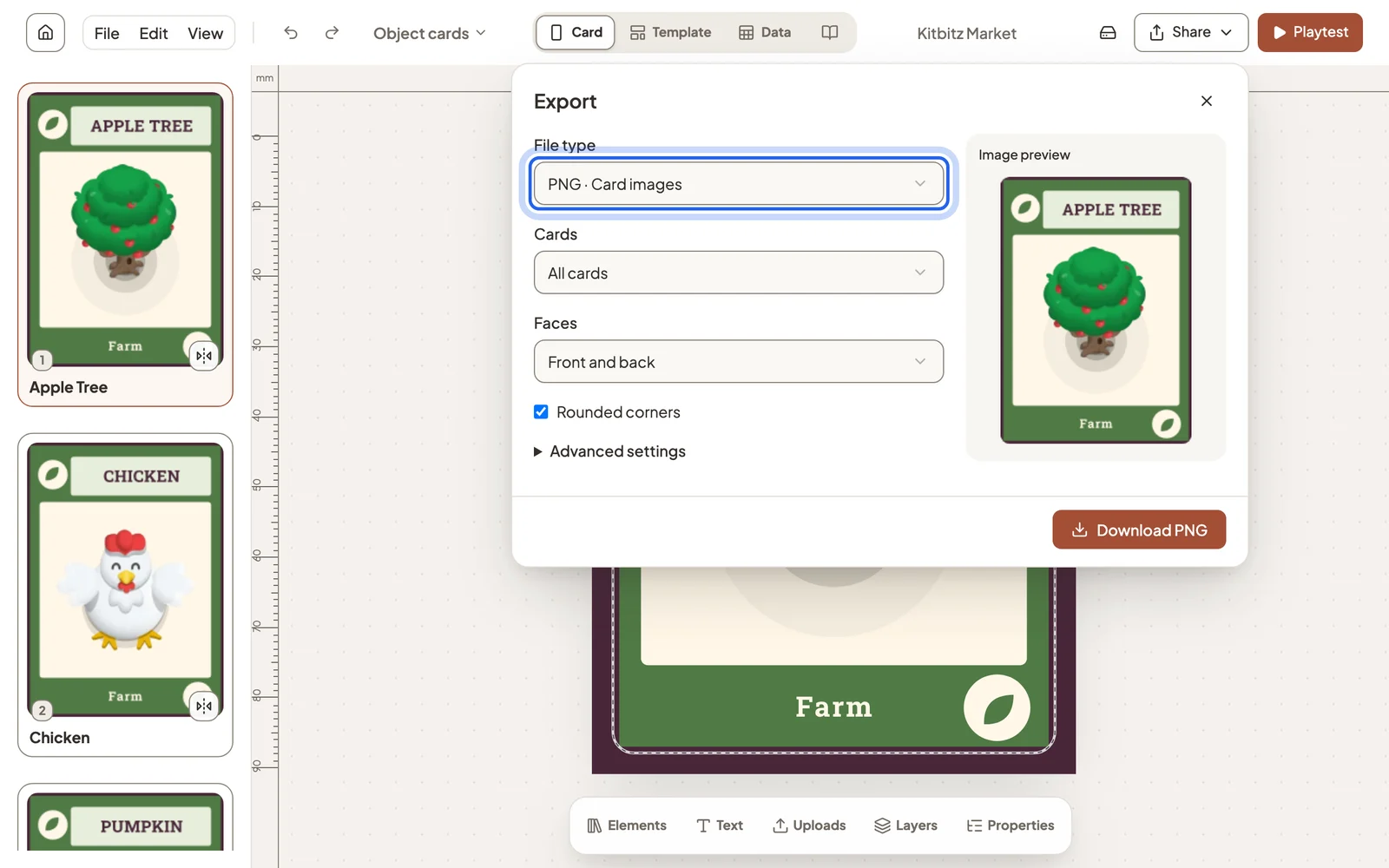
Choose PNG · Card images to download each card as a picture, for a rulebook, a store page or another tool.
Order a printed deck
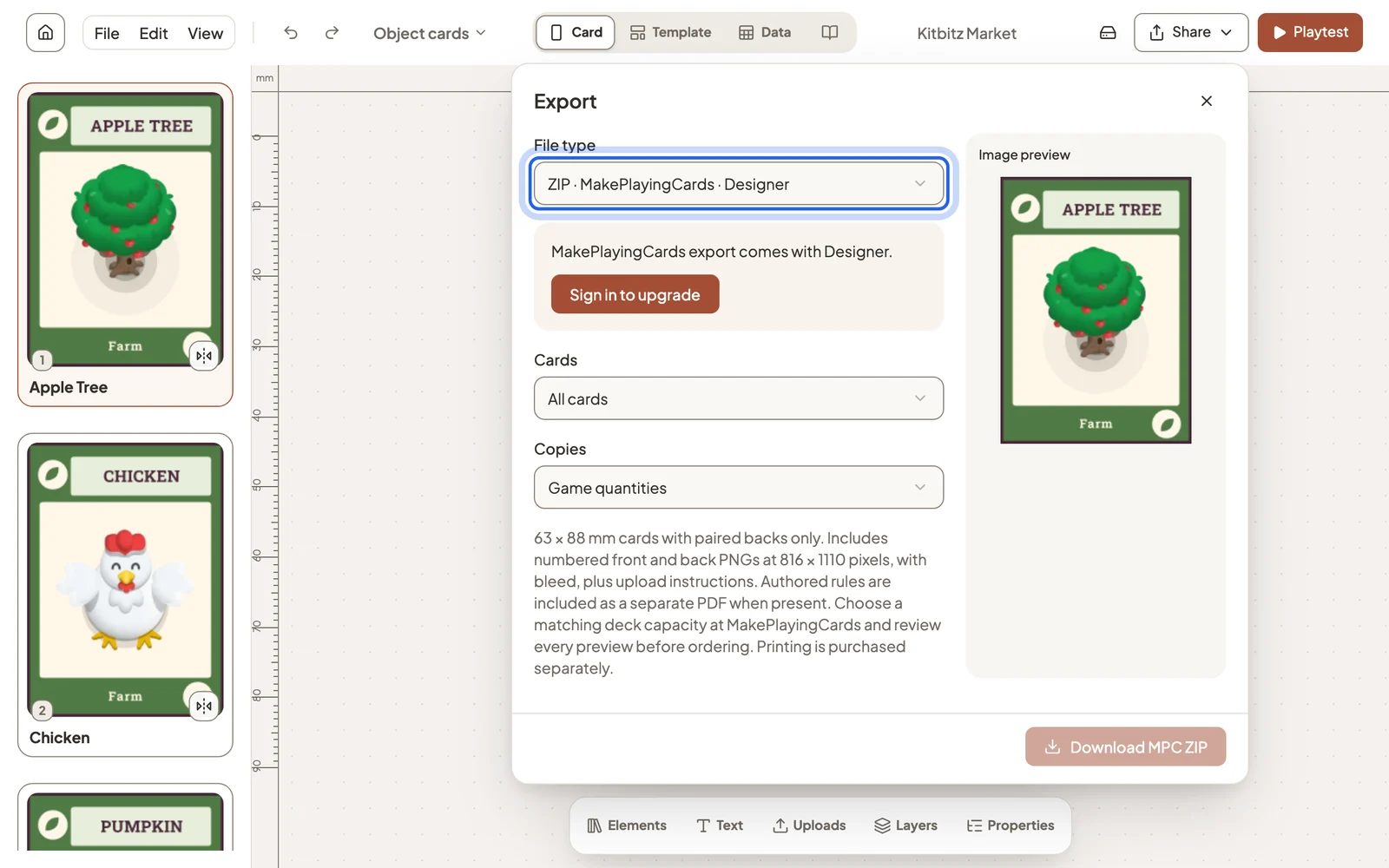
ZIP · MakePlayingCards prepares numbered fronts and backs with bleed, plus upload instructions, ready for an order at MakePlayingCards. It supports 63 × 88 mm cards and comes with the Designer plan. Printing is bought separately from MakePlayingCards.
Credits
If your cards use template art or library icons that need attribution, the PDF includes a credits page and image downloads come with a credits file. See Catalog credits.
Still stuck?
Email [email protected] and tell us what you are trying to do.